
Self-purchase
Explore, purchase, and activate specific verification products, fraud prevention checks, or feature add-ons straight from your Dashboard.
The Self-purchase feature allows you to subscribe to additional services directly from the Dashboard through a self-activation flow.
Available solutions
Available solutions for self-purchase:
Note
- Purchasing solutions requires an Owner account.
- Some actions, including purchasing additional services, require explicit confirmation in the Dashboard interface before they can be completed.
Activate solutions
To enable a product:
-
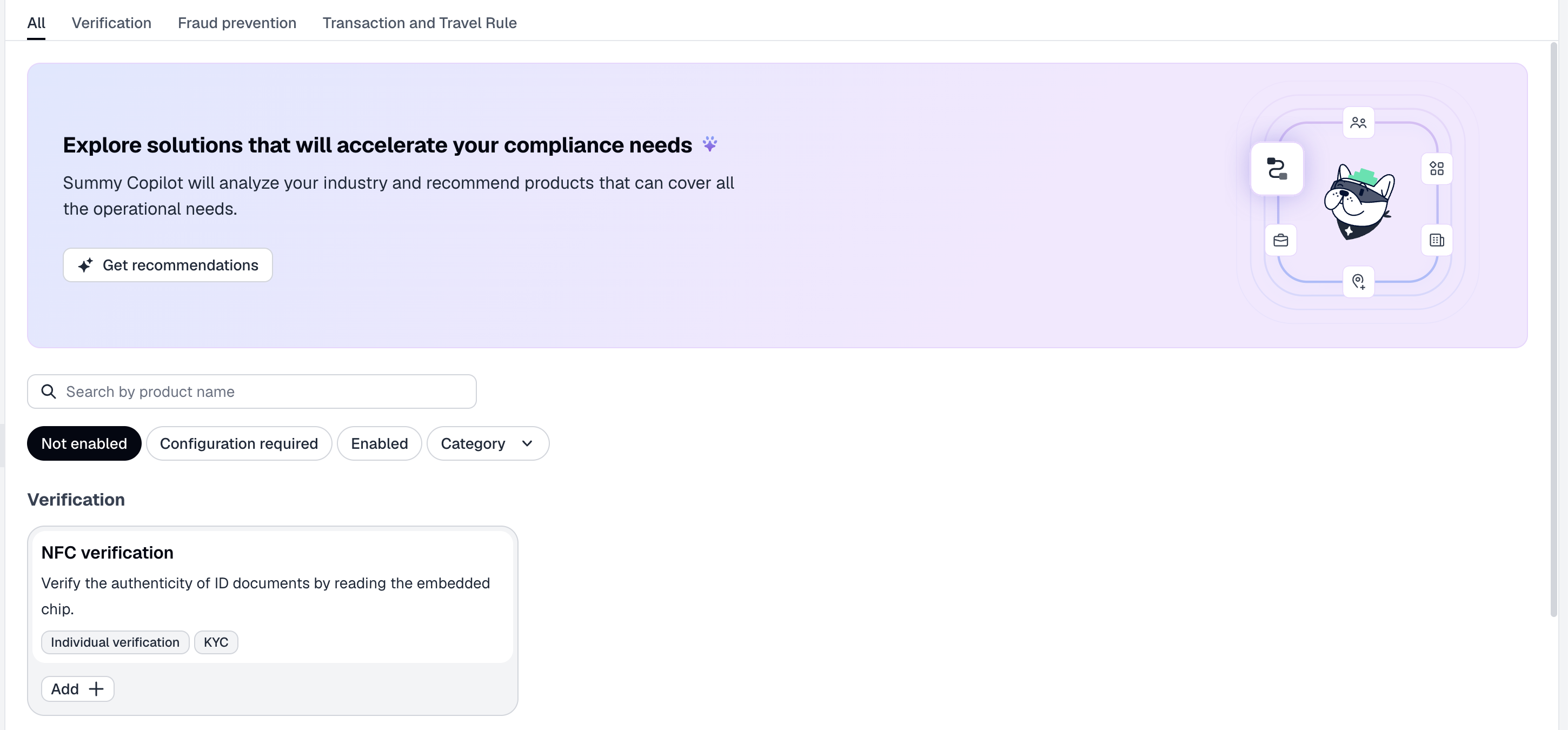
In the Dashboard, go to the Solutions page.
-
Use service type (All, Verification, Transaction and Travel Rule) or activation status (Not enabled, Enabled, Configuration required, and Category) filters to select a service you want to enable or configure.
-
Click Add+ or the service card to open the configuration drawer.
-
Click Send Request/Enable or follow the documentation instructions.
All your self-purchased services, as well as their owners, are displayed here or on the enabled services list.
After each self-purchase, Sumsub sends a Confirmation of Service Activation email so that owners and the billing contact have a record of what was turned on. One email is sent per activated service, with the subject Confirmation of Service Activation: <service name>. It confirms:
- Activated service (its name, linking to the service documentation).
- Client key (your identifier in the Dashboard).
- Activated by — the name and email of the user who made the purchase.
- Date and time of activation, in UTC.
NoteThe confirmation email is sent only to owners who accepted the Get full access consent and to the billing contact. An owner who has not accepted the consent, or a deactivated owner, does not receive it. If a Sumsub employee performs the activation, no confirmation email is sent. The purchase itself completes regardless of whether the email is delivered.
Sumsub does not send confirmation emails to self-service clients.
Updated 5 days ago