
Dashboard navigation update
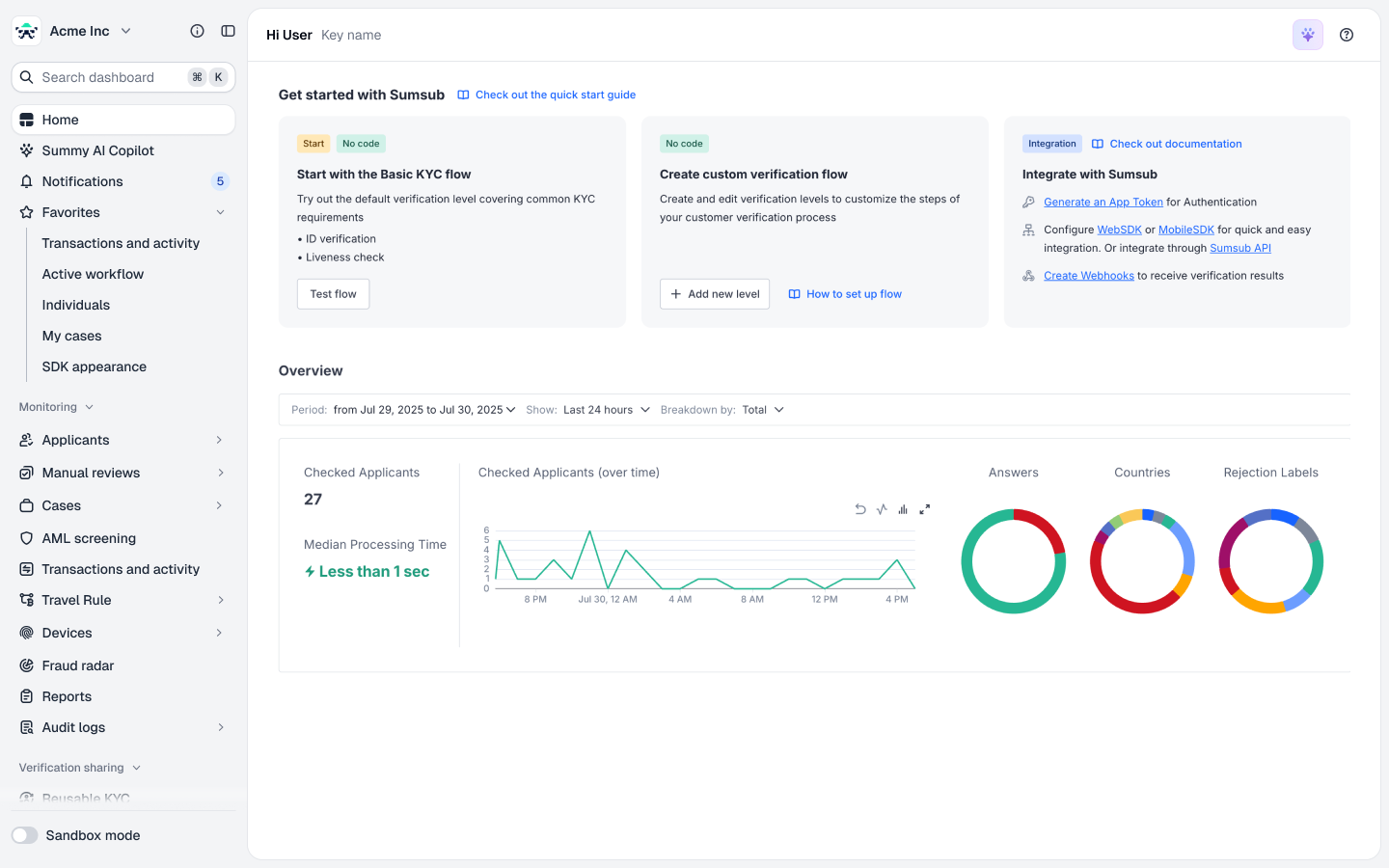
We have redesigned the Sumsub Dashboard sidebar to make it easier to find the tools you use most often. The updated menu groups pages by type of work: reviews, configuration, verification sharing, and analytics.
This page explains the new structure, lists renamed pages, and shows where to find the moved settings. After the update, a product tour on your first sign-in walks you through the main changes.
Sidebar structure
The sidebar contains the following areas:
-
Search: press Command+K or Ctrl+K to find and jump to any page across the Dashboard.
-
Home: your start page. It replaces the former Dashboard item.
-
Summy AI Copilot, LLM-based assistant.
-
Notifications with a counter to stay updated about your activities.
-
Favorites: keeps the pages you use most at the top of the sidebar. To add a page, select the star icon next to its title.
-
Monitoring where you run all your reviews: applicants, manual reviews, cases, AML screening, transactions, Travel Rule, devices, and audit logs.
-
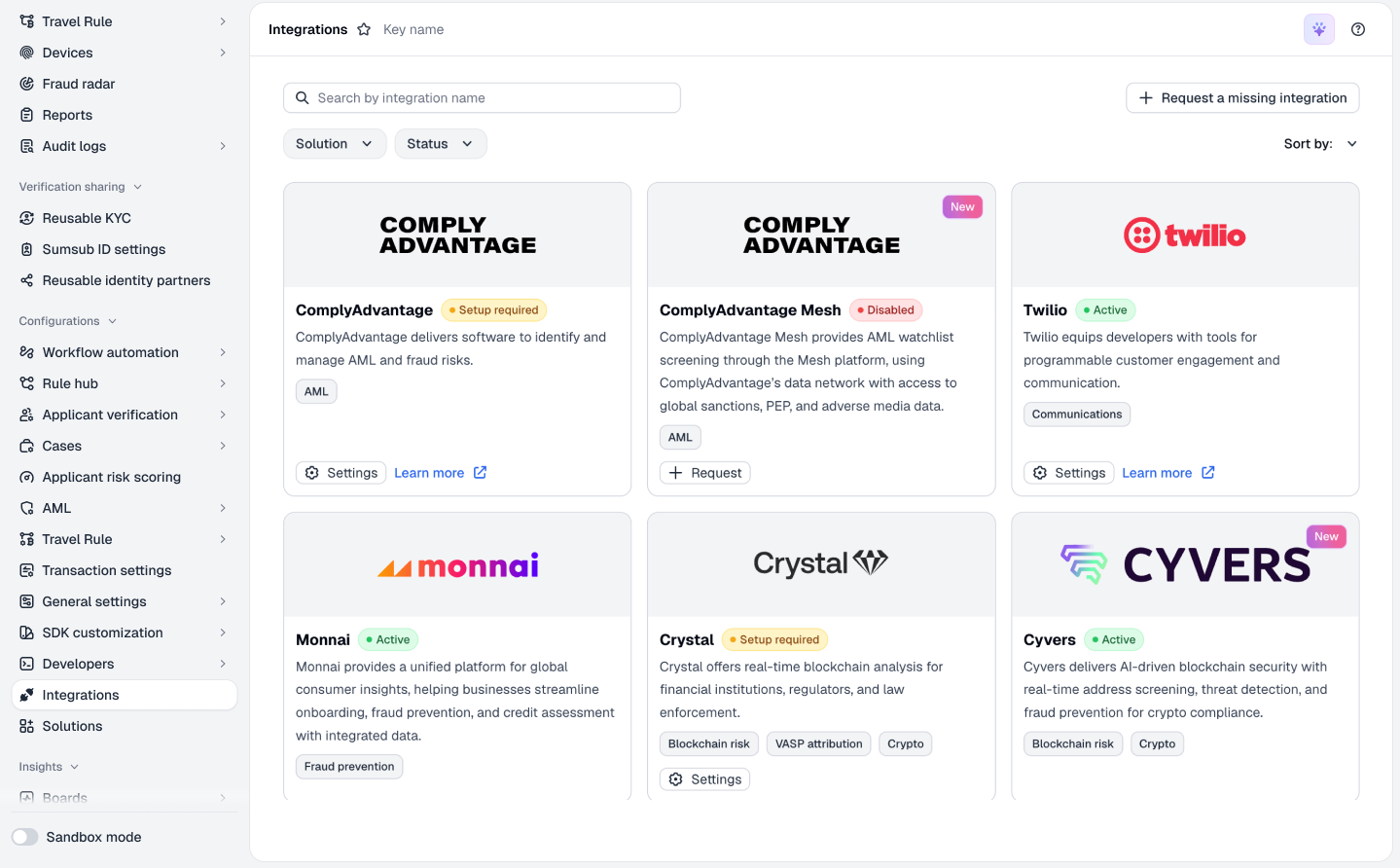
Configurations: settings for verification, workflow automation, rules, AML screening, Travel Rule, SDK customization, developer tools, and integrations.
Individual levels and Company levels each have two tabs: Verification levels and Settings. The Settings tab holds the verification settings that were previously in Global settings. For details, see this table.
-
Verification sharing: Reusable KYC, Sumsub ID settings, and reusable identity partners in one place.
-
Insights: holds your analytics boards. Build custom boards with Summy AI, or request them from the Sumsub analytics team. Product analytics that previously sat inside other sections, such as Transaction Monitoring or Case Management analytics, have also moved here.
-
Administration: your profile and workspace settings, such as team members and roles. Billing has also moved here.
-
Sandbox mode toggle: switches between the production and sandbox environments.
Renamed pages
The following pages have new names. Their content stays the same.
| Previous name | New name | Where to find it |
|---|---|---|
| Dashboard | Home | Top of the sidebar |
| Applicants → Networks | Applicant networks | Monitoring → Applicants |
| Transactions | Transactions and activity | Monitoring |
| Device intelligence → Devices | Device list | Monitoring → Device intelligence |
| Device intelligence → Analytics | Device overview | Monitoring → Device intelligence |
| Workflow builder | Workflow automation | Configurations |
| Rules manager | Rule hub | Configurations |
| Database products | Verification databases | Configurations → Applicant verification |
| Case statuses | Case stages | Configurations → Cases |
| Client lists | Custom lists | Configurations → General settings |
| Customizations | SDK appearance | Configurations → SDK customization |
| SDK translations | SDK text | Configurations → SDK customization |
| Dev space | Developers | Configurations |
| Marketplace | Integrations | Configurations |
Settings moved from Global settings
Global settings no longer exists as a separate section. Some of its settings now sit next to verification levels in Applicant verification, and others have their own pages in Configurations or Verification sharing.
| Global settings page | New location |
|---|---|
| General → Applicant settings | Configurations → Applicant verification → Applicant settings |
| General → Applicant tags | Configurations → General settings → Tags |
| General → Source keys | Configurations → General settings → Source keys |
| User verification: ID verification, Proof of address, Ongoing document monitoring, Supported ID documents, AllDocs, KYC integration wizard | Configurations → Applicant verification → Individual levels → Settings |
| User verification → Sumsub ID | Verification sharing → Sumsub ID settings |
| Business verification: General, Entity types, Document regulations | Configurations → Applicant verification → Company levels → Settings |
| Data comparison | Configurations → Applicant verification → Data comparison |
| AML screening | Configurations → AML → AML screening settings |
| AML screening → Resolution rule chain | Configurations → AML → AML resolution rule chain |
| Customizations | Configurations → SDK customization → SDK appearance |
| SDK translations | Configurations → SDK customization → SDK text |
Updated 50 minutes ago