
Real-time Identification Recording
Record verification aligned to meet the SEPBLAC requirements.
Real-time Identification Recording is a verification solution that enables video recording of the verification process. This product aligns with SEPBLAC regulations, which mandate that the following conditions are met:
- The verification process is recorded and includes specific steps, such as identity verification and a selfie.
- The recorded verification process is available for human oversight.
- Applicants are approved only after the human's review.
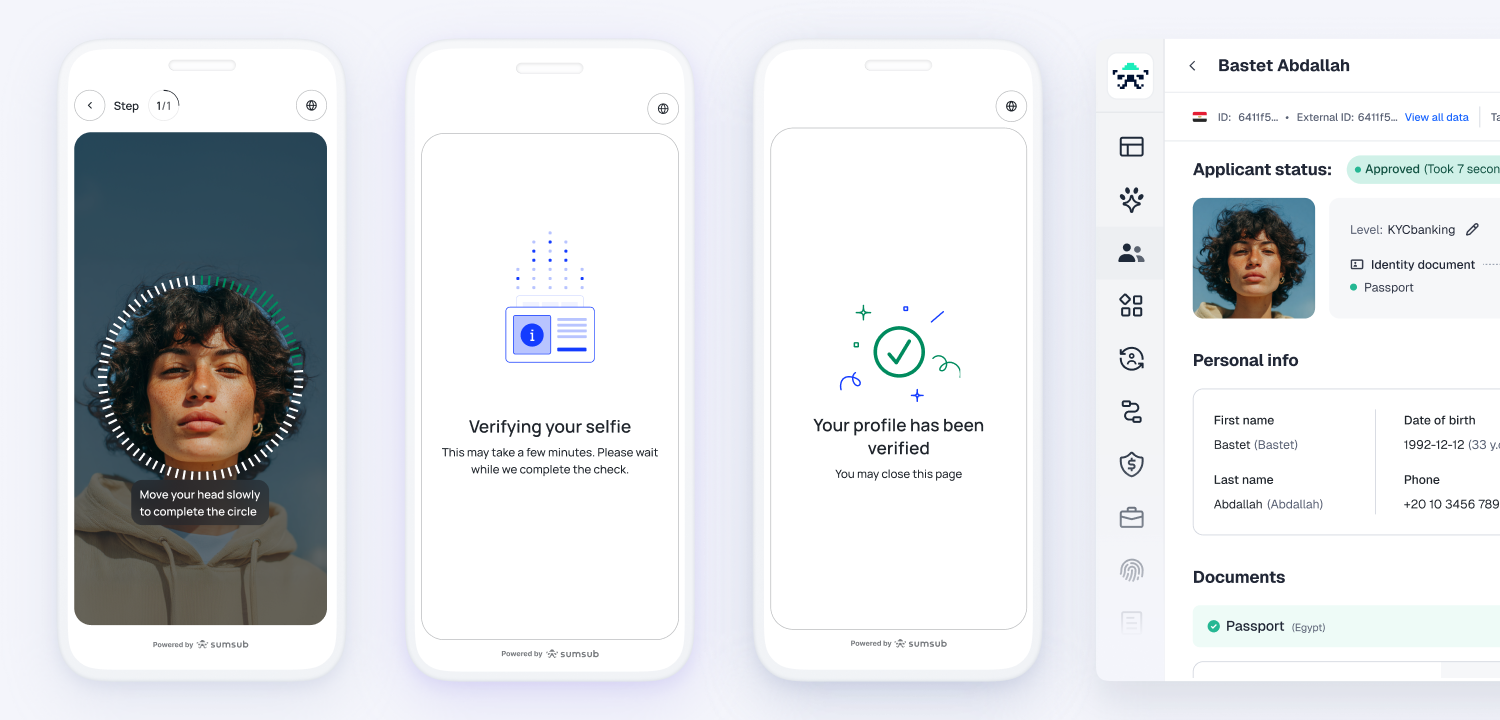
How Real-time Identification Recording works
The Real-time Identification Recording verification flow generally includes the following steps:
- An applicant initiates the verification process.
- When the applicant proceeds to the submission of their identity document and selfie, the recording starts immediately.
- The recording is saved to their profile to be used for making further verification decisions.
- The system checks the submitted documents and selfie for authenticity and validates the data.
Note
If the recording video for the applicant's current verification attempt is missing — or the only available video belongs to an earlier attempt — the Identity document and Selfie steps are automatically rejected, and the applicant must re-record them. This ensures that approval relies on a recording captured during the current attempt.
- The operator reviews the recording to ensure that the applicant submitting the information is the actual person and that the process has been carried out correctly.
- The results are displayed in the applicant’s profile, accompanied by the corresponding verification status.
Get started with Real-time Identification Recording
To use the Real-time Identification Recording solution, you will need to create and set up a verification level:
- Contact your Customer Success Manager to enable Real-time Identification Recording.
- Configure the verification level and include two necessary verification steps—Identity document and Selfie.
- Add an additional consent to video recording:
- Go to the Configurations tab of the reguired verification level and navigate to Advanced settings.
- In the Custom consent for data processing setting, select the Link option.
- Provide the following link: https://sumsub.com/consent-video-identification-procedure (or use your own).
Note
- Real-time Identification Recording is only applicable to verification levels that include the Identity document and Selfie steps. If you enable Seamless live capture for an existing verification level, any other steps will be removed.
- Real-time Identification Recording is supported within both the Standard and Applicant actions verification levels.
- The Non-Doc Verification option cannot be enabled for the Real-time Identification Recording verification flow.
- When you switch an existing applicant to a level that requires Real-time Identification Recording, their Identity document and Selfie steps are reset and must be re-captured during the recorded call, even if those steps were already completed on the previous level.
Review Real-time Identification Recording results
To review the verification results:
- Go to the Dashboard and navigate to Applicants.
- Select an applicant profile from the list.
- Go to the Verification tab and check the Summary section, which includes details on the verification level used, steps performed, and checks completed.
Updated about 21 hours ago